Tired of WordPress Bloat? Build a Lean Business Website with Nexora
For years, WordPress has been the default operating system of the web. When you first launch a business website, it seems like the obvious choice. It is free, widely supported, and boasts a directory of tens of thousands of plugins.
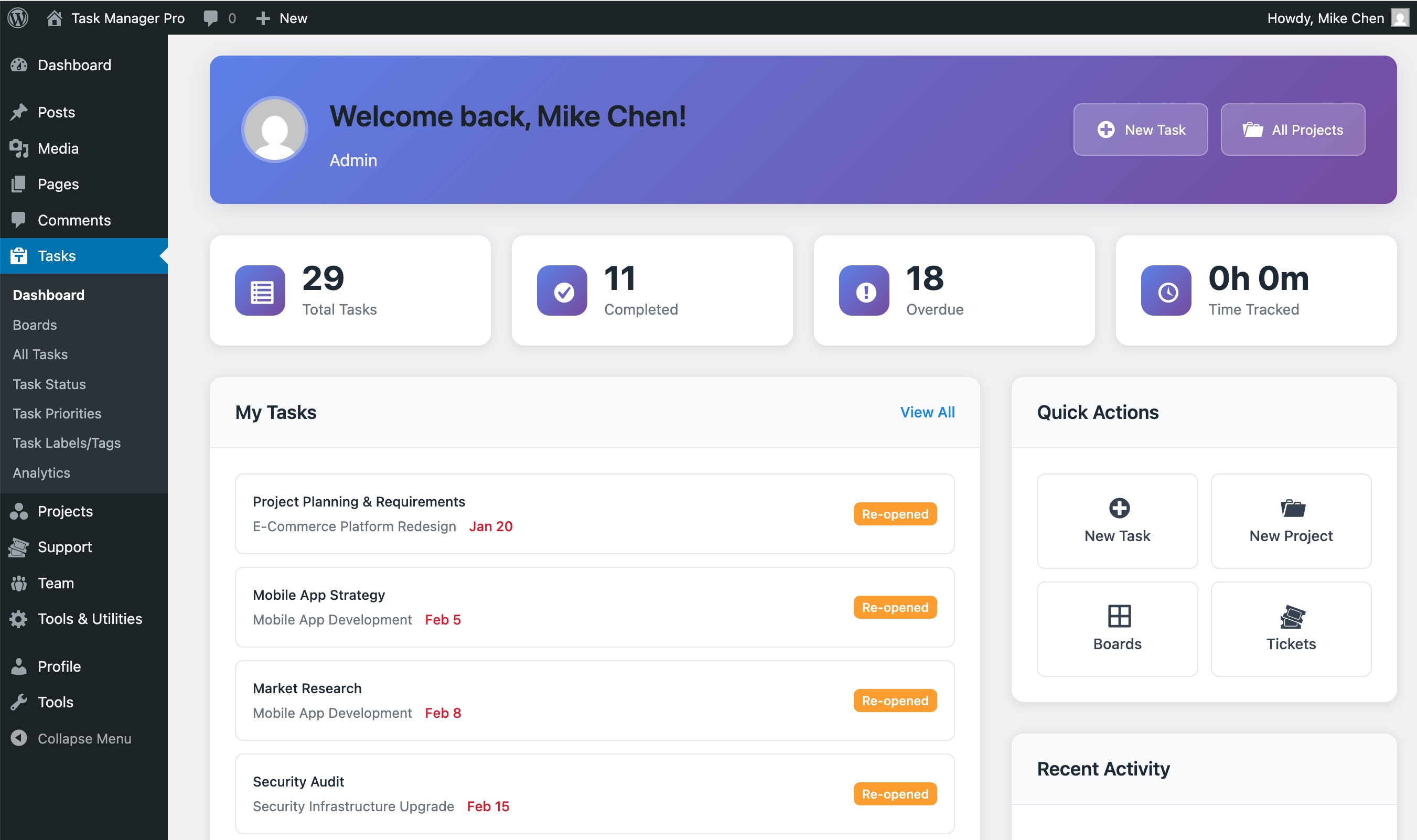
However, as your business grows, your website needs to do more than just display a basic homepage and a contact form. You decide to sell digital products, so you install an e-commerce plugin. You want to offer online courses, so you add a Learning Management System (LMS) plugin. To let clients schedule consultations, you install a booking manager.
Before you know it, your admin dashboard is a chaotic patchwork of competing updates, your database is bogged down with thousands of redundant rows, and your page load times have plummeted. This is the reality of WordPress plugin bloat.
If you are searching for a wordpress alternative self hosted CMS that delivers speed, security, and unified functionality without the performance tax of dozens of plugins, it is time to look at a modern, integrated solution: Nexora.
The WordPress Plugin Dilemma: Why More Plugins Mean Slower Speeds
To understand why WordPress slows down, we have to look at how its plugin ecosystem operates. WordPress was originally designed as a blogging engine. To transform it into an e-commerce store, an LMS, or a booking platform, developers rely on third-party plugins.
Each plugin you install acts as an independent software application running inside your WordPress environment. This architecture introduces several critical performance bottlenecks:
- Asset Overhead: Many plugins load their own CSS stylesheets and JavaScript files on every single page of your website, even if the plugin's functionality is only used on one specific page (such as your checkout or booking page).
- Database Bloat: Plugins frequently create custom tables or, worse, abuse the default
wp_optionsandwp_postmetatables. This leads to massive, unindexed database queries that delay your Time to First Byte (TTFB). - Dependency Conflicts: Because plugins are built by different developers with varying coding standards, updates to one plugin can easily break another, resulting in the dreaded "White Screen of Death."
- Security Vulnerabilities: Over 90% of WordPress security breaches are traced back to third-party plugins. The more plugins you run, the larger your attack surface becomes.
For a small business owner, managing this complexity becomes a part-time job. Instead of focusing on growth, you spend your weekends troubleshooting database errors, updating plugins, and trying to optimize your site's loading speed.
How Nexora Integrates CMS, Shop, LMS, and Booking Out of the Box
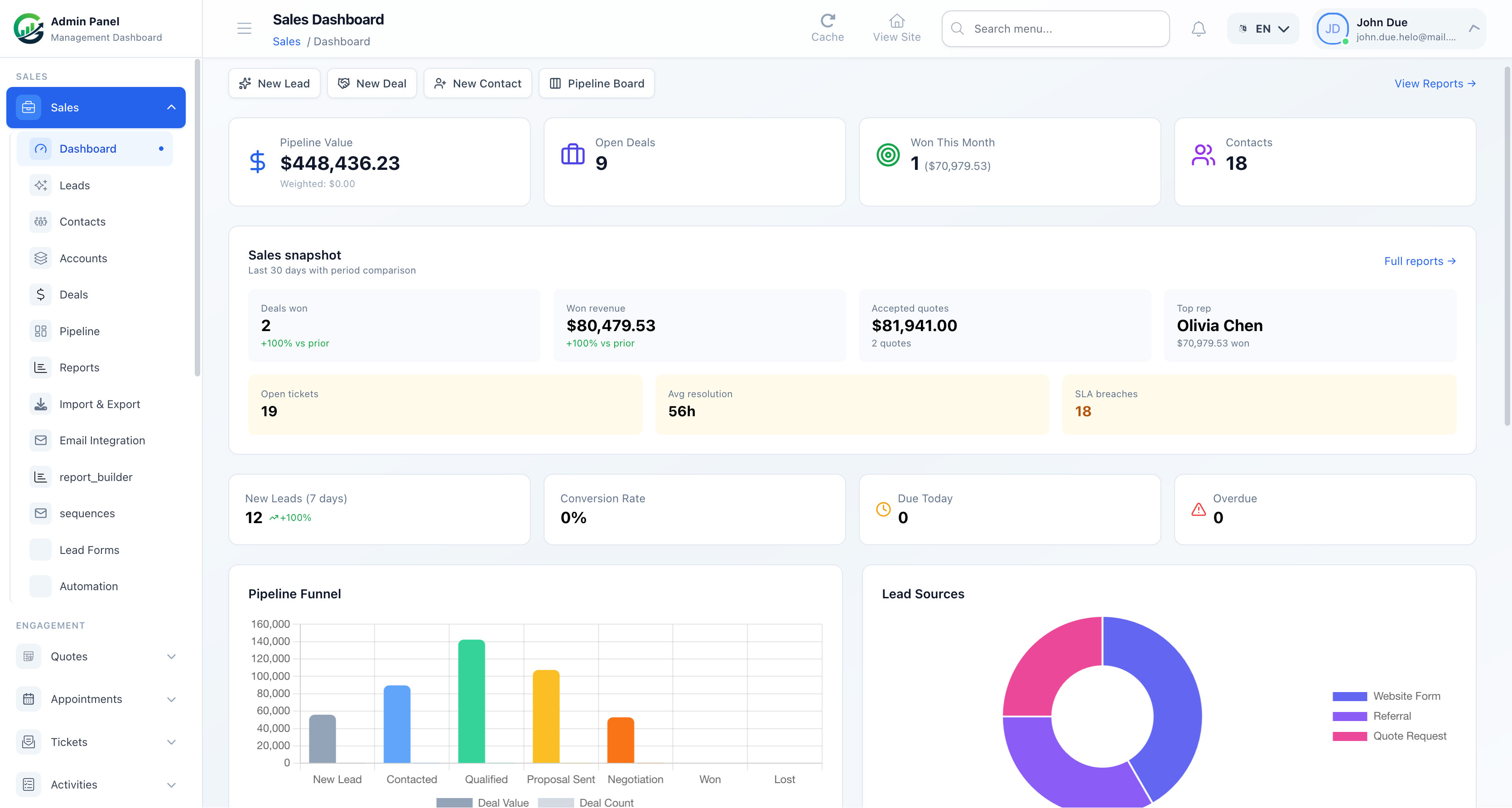
Nexora solves this architectural problem by replacing the patchwork approach with a unified, self-hosted business platform. Built on the robust, modern Laravel framework, Nexora is engineered from the ground up to handle the core operations of a modern business within a single, cohesive codebase.
Instead of relying on third-party add-ons, Nexora integrates these critical business tools directly into its core:
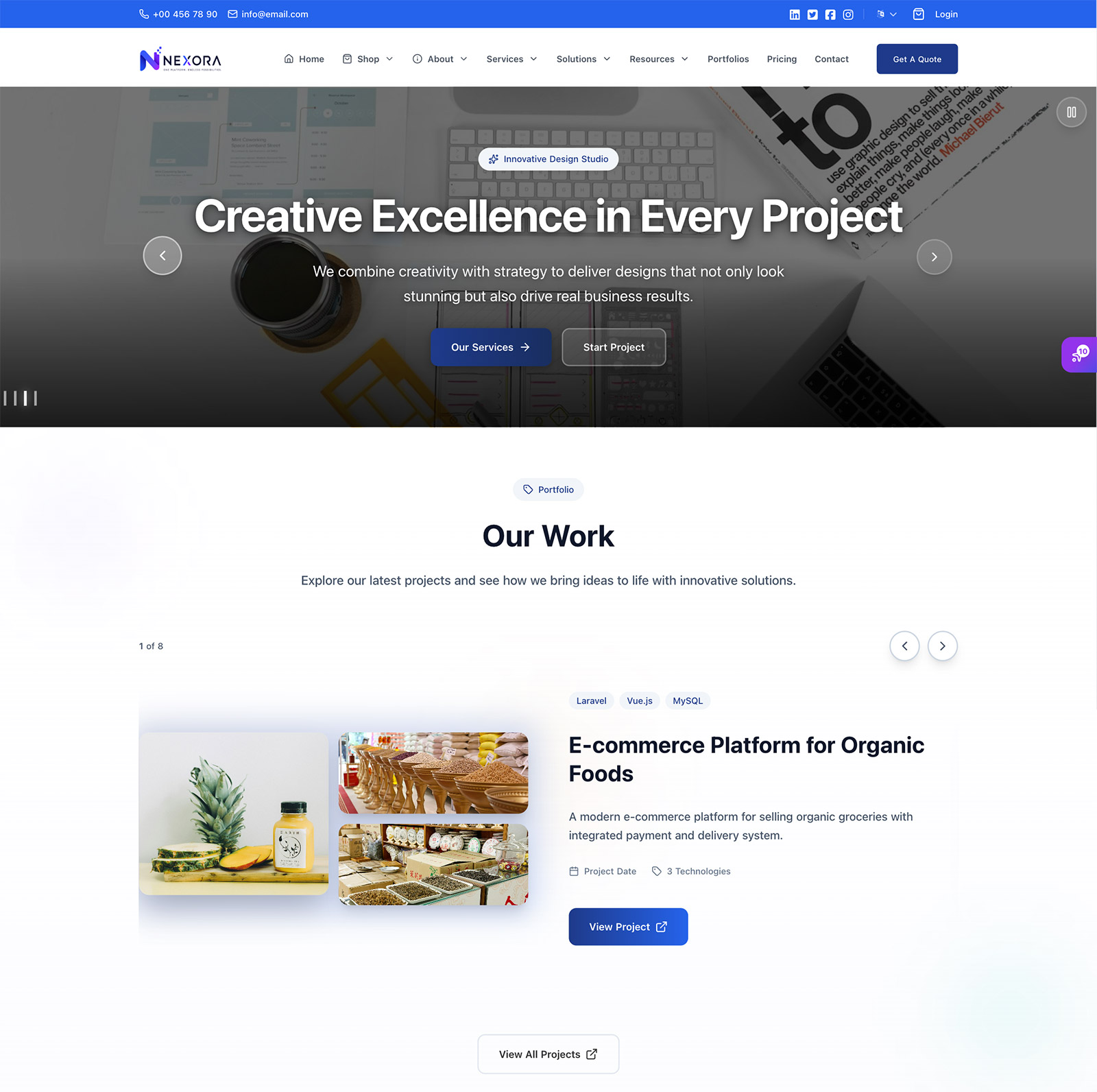
1. High-Performance CMS & Page Builder
Nexora features a lightweight, intuitive page builder that outputs clean, semantic HTML. Unlike heavy WordPress page builders that nest your content inside dozens of redundant <div> tags, Nexora ensures your pages remain lean, accessible, and highly optimized for search engines.
2. Native Online Shop Setup
Sell physical goods, digital downloads, or services without installing heavy e-commerce engines. Nexora’s built-in shop module handles inventory, tax calculations, discounts, and customer checkouts natively. It connects directly to major payment gateways like Stripe and PayPal with minimal configuration.
3. Built-In LMS Platform
If your business model includes education, training, or digital courses, Nexora provides a fully integrated LMS. You can create structured curriculums, upload video lessons, manage student enrollments, and track progress—all managed from the same dashboard as your main website.
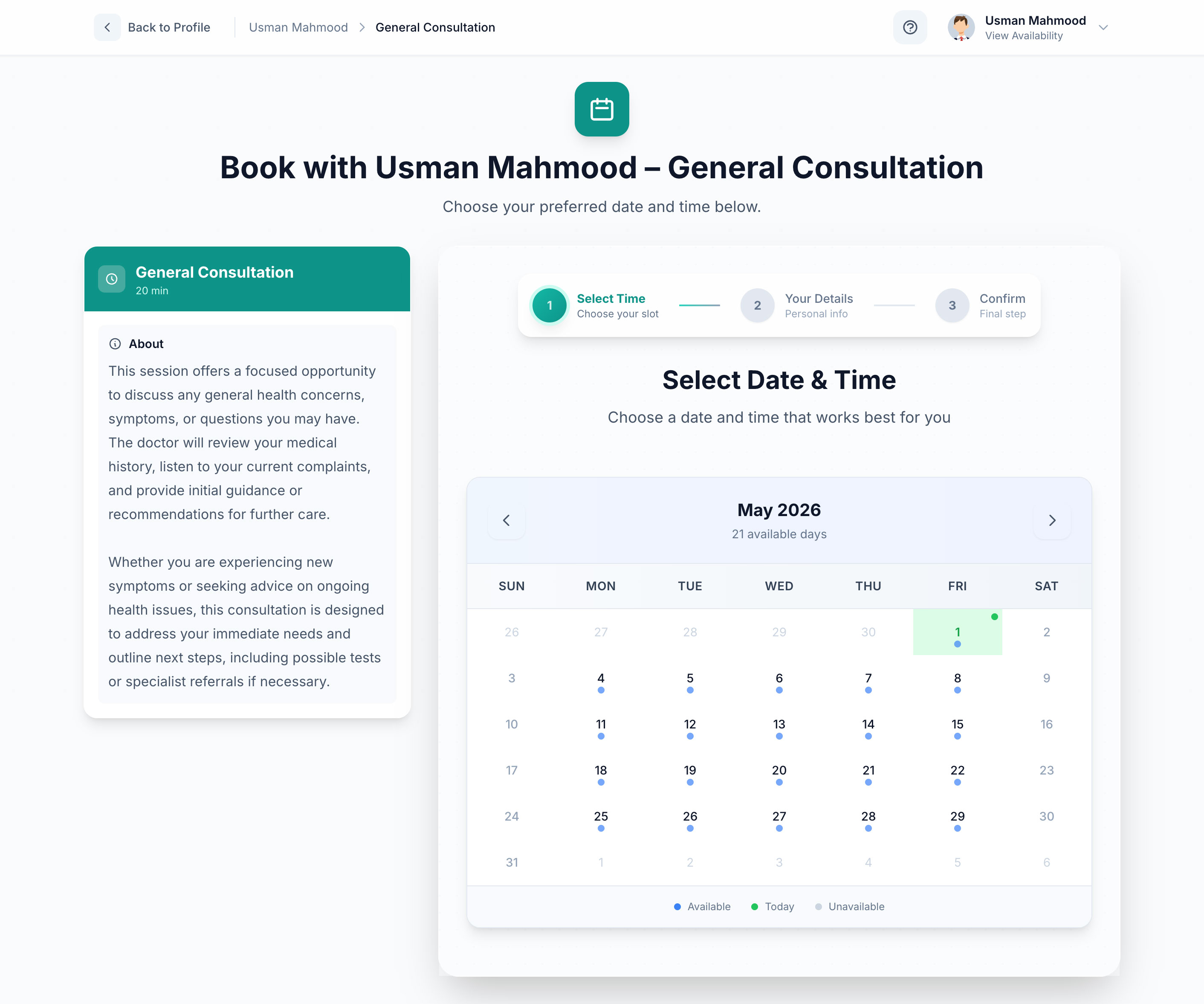
4. Appointment Booking & Scheduling
Stop paying for external scheduling tools or wrestling with buggy booking plugins. Nexora includes a native booking engine that allows clients to schedule appointments, sync availability with your calendar, and pay for consultations directly through your site.
Because these modules are built into the core application, they share a single database schema, a single user authentication system, and a unified design language. This means zero database conflicts, zero redundant asset loading, and a seamless experience for both you and your customers.
Comparing Page Speed and Security: Nexora vs. Traditional WordPress
When evaluating a self-hosted CMS, performance and security should be your primary metrics. Let's look at how a standard Nexora installation compares to a typical WordPress setup configured for business operations.
| Feature / Metric | Traditional WordPress (with Shop, LMS, & Booking Plugins) | Nexora (Self-Hosted Laravel CMS) |
|---|---|---|
| Core Architecture | Legacy PHP procedural code with third-party overrides | Modern, structured Laravel MVC framework |
| Database Queries | High (often 80+ queries per page load due to unoptimized plugins) | Low (highly optimized Eloquent queries with eager loading) |
| Average Page Weight | 2.5MB - 4.5MB (due to redundant CSS/JS assets) | Under 1MB (optimized asset compilation via Vite) |
| Security Model | Dependent on third-party plugin developers | Built-in Laravel security (CSRF protection, SQL injection prevention, XSS filtering) |
| Maintenance Overhead | High (weekly plugin updates, compatibility testing) | Low (single-point updates for the entire system) |
| Annual Software Costs | High ($300 - $800+ in premium plugin licenses) | One-time license fee, zero recurring plugin costs |
By eliminating the middleman of third-party plugins, Nexora achieves lightning-fast load times out of the box. This directly translates to a better user experience, higher conversion rates, and improved Google Core Web Vitals scores.
Checklist: Is Your Business Ready to Migrate to a Lean CMS?
Before making the switch, evaluate your current website setup against this checklist. If you answer "Yes" to two or more of these questions, your business is a prime candidate for a lean, self-hosted alternative like Nexora:
- [ ] Does your WordPress site take longer than 3 seconds to load on mobile devices?
- [ ] Are you currently running more than 15 active plugins to keep your site functional?
- [ ] Do you pay recurring annual fees for e-commerce, LMS, or booking plugins?
- [ ] Have you ever experienced a site crash or layout break immediately after updating a plugin?
- [ ] Are you concerned about the security risks of running outdated or unmaintained third-party code?
How to Build and Launch Your First Nexora Site in Under an Hour
Because Nexora is a self-hosted Laravel application, deploying it is straightforward. You do not need to be a senior systems engineer to get your site up and running. Here is a step-by-step guide to launching your first Nexora site:
Step 1: Prepare Your Hosting Environment
Ensure your hosting provider meets the basic requirements. We recommend a simple Virtual Private Server (VPS) from a provider like DigitalOcean or Linode. Install PHP 8.2+, MySQL, and an Nginx or Apache web server. Ensure you have an SSL certificate active (Let's Encrypt provides these for free).
Step 2: Upload the Nexora Files
Purchase your Nexora license from Softentra and download the application package. Extract the files and upload them to your server's public directory using SFTP or your hosting control panel.
Step 3: Run the Web Installer
Navigate to your domain name in your web browser. Nexora’s intuitive, step-by-step web installer will guide you through the setup process:
1. Environment Check: The installer verifies that your server meets all PHP extension requirements.
2. Database Configuration: Enter your MySQL database credentials (host, database name, username, and password).
3. Admin Account Creation: Set up your primary administrator email and secure password.
Step 4: Configure Your Business Modules
Once the installation is complete, log into your clean, modern admin dashboard. From here, you can immediately toggle the modules your business requires. Turn on the Shop to list your products, configure the LMS to upload your first course, or set up your availability in the Booking calendar.
No extra installations, no licensing keys, and no configuration conflicts—everything is ready to use from the moment you install.
Take Control of Your Web Infrastructure with Softentra
Your website is the digital storefront of your business. Relying on a bloated, slow, and insecure platform costs you search engine rankings, customer trust, and ultimately, revenue.
By choosing a modern, self-hosted Laravel CMS like Nexora, you regain control over your data, your performance, and your software costs. You get a fast, secure, and fully integrated platform designed to scale with your business operations.
At Softentra, we specialize in providing high-quality, self-hosted software solutions that empower business owners to break free from restrictive SaaS subscriptions and bloated legacy platforms. If you need assistance setting up, customizing, or migrating your existing site to Nexora, our expert Web Development team is here to help you build a tailored, high-performance web presence.
Ready to experience a faster, cleaner web?
Ditch the plugin bloat. Build your business website on Nexora's secure, unified CMS today.
FAQs
Can I migrate my existing WordPress content to Nexora?
Yes. Because Nexora runs on a structured MySQL database powered by Laravel, you can export your WordPress posts, pages, and users via CSV or JSON and import them directly into Nexora's database. For complex migrations involving WooCommerce products or LMS progress, our Web Development team can assist with custom database migration scripts.
What are the hosting requirements for Nexora?
Nexora is a self-hosted Laravel application. It requires a standard web server running PHP 8.2 or higher, a MySQL/MariaDB database, and an SSL certificate. It runs exceptionally well on affordable Virtual Private Servers (VPS) from providers like DigitalOcean, Linode, or Vultr, as well as modern shared hosting environments that support Laravel.
Do I need to pay monthly subscription fees for Nexora's LMS or booking features?
No. Unlike WordPress, where advanced LMS, e-commerce, and booking features require ongoing annual or monthly plugin subscriptions, Nexora includes all of these modules natively. Once you purchase your self-hosted license from Softentra, you own the software and run it on your own infrastructure without recurring software fees.
Ditch the plugin bloat. Build your business website on Nexora's secure, unified CMS.