Streamlining Sales Pipelines: Automating Sequences Without SaaS Fees
For sales managers, the pipeline is a living, breathing entity. Its health dictates your team's success, your company's revenue, and your sanity. Yet, as your lead volume grows, so does the administrative burden of keeping those leads warm.
To solve this, many teams turn to popular SaaS CRM platforms to automate their outreach. But as your contact list scales, you quickly run into a frustrating reality: the SaaS tax. What started as an affordable monthly subscription ballooned into a massive recurring expense because you are penalized for growing your database.
Fortunately, there is a better way. By deploying a self hosted crm with email sequences, you can automate your entire sales pipeline, send unlimited follow-up sequences, and maintain absolute control over your data—all without paying a single dime in recurring per-user SaaS fees.
Why Manual Sales Follow-ups Are Costing Your Team Deals
In sales, timing is everything. Studies consistently show that the vast majority of sales require at least five follow-up attempts after the initial contact. Yet, the average sales representative only makes one or two attempts before moving on.
When your team relies on manual follow-ups, several critical points of failure emerge:
- The Forgetting Curve: Reps get busy with hot deals and forget to follow up with mid-funnel leads who just need a little more nurturing.
- Inconsistent Messaging: Without structured templates and automated triggers, every rep writes their own follow-ups. This leads to inconsistent branding, unpolished copy, and missed value propositions.
- Administrative Burnout: Your highly paid sales reps should be on the phone closing deals, not manually copying and pasting follow-up emails from a Google Doc into their email client.
When follow-ups slip through the cracks, your pipeline leaks. Leads that cost marketing dollars to acquire simply evaporate because your team didn't have the bandwidth to stay top-of-mind.
The Impact: The True Cost of the SaaS Tax
To fix the manual follow-up problem, most sales managers look to SaaS tools like HubSpot, Salesforce, or ActiveCampaign. While these platforms are powerful, their pricing models are fundamentally misaligned with your business growth.
SaaS providers charge you based on two primary metrics:
1. Seat Licenses: The more sales reps you hire, the more you pay.
2. Contact Tiers: The more leads you import, the higher your monthly bill climbs—even if 80% of those leads are cold or dormant.
This creates a counterproductive dynamic where sales managers are forced to constantly purge their databases or limit their team's access to the CRM just to keep software costs under control. You shouldn't have to pay a premium just to keep your pipeline organized.
The Anatomy of an Effective Automated CRM Email Sequence
Automating your sales pipeline doesn't mean sending cold, robotic spam. A highly effective email sequence feels personal, timely, and genuinely helpful.
When configuring sequences in a self-hosted CRM, structure your campaigns around a proven multi-step framework:
[Lead Enters Pipeline]
       │
       ▼
[Day 1: The Immediate Value-Add] ──► (Share a resource or quick win)
       │
       ▼
[Day 3: The Case Study] ──────────► (Showcase real-world results)
       │
       ▼
[Day 7: The Low-Friction CTA] ────► (Offer a brief, 10-minute call)
       │
       ▼
[Day 12: The Breakup Email] ──────► (Politely close the file / gauge interest)
1. Day 1: The Immediate Value-Add (The Hook)
As soon as a lead enters a specific stage in your pipeline (e.g., "Requested Demo" or "Inquiry"), the first email should trigger automatically. Do not pitch yet. Instead, deliver immediate value—a helpful guide, a case study, or a direct answer to a common question.
2. Day 3: The Case Study / Social Proof
Two days later, send a follow-up highlighting a customer who faced the exact same problem your prospect is dealing with. Focus on the transformation: "How [Company X] reduced their operational costs by 30% using our framework."
3. Day 7: The Low-Friction CTA
By day seven, the lead knows who you are and what you do. Now is the time to ask for a conversation, but keep the friction low. Instead of asking for a 60-minute meeting, ask a simple, open-ended question: "Are you available for a quick, 10-minute chat this Thursday at 2 PM to see if this fits your workflow?"
4. Day 12: The Breakup Email
If they haven't responded, send a polite "breakup" email. Let them know you won't crowd their inbox anymore, but leave the door open. Ironically, this is often the highest-converting email in the entire sequence because it leverages scarcity and professional courtesy.
Bypassing SaaS Limits: Sending Unlimited Emails via Self-Hosted CRM
How do you run these multi-step sequences for thousands of leads without incurring massive bills? The answer lies in the architecture of a self-hosted CRM.
When you use a self-hosted application like GrowStack, the CRM software lives on your own virtual private server (VPS). This decouples your database and campaign logic from the actual email delivery mechanism.
Instead of paying a SaaS provider to send your emails at a heavily marked-up rate, your self-hosted CRM connects directly to specialized transactional email APIs, such as:
* Amazon SES (Simple Email Service): Costs $0.10 per 10,000 emails.
* Mailgun: Offers highly reliable delivery and robust tracking tools.
* Postmark: Known for lightning-fast delivery and excellent sender reputation management.
By routing your automated sequences through these infrastructure providers, you can send 100,000 automated emails for roughly $10. Compare that to a SaaS CRM subscription that would easily cost you $300 to $800 per month for a database of that size.
Moreover, because you own the server, you are not subject to arbitrary sending limits, forced branding footers, or sudden account suspensions due to automated policy sweeps.
The Implementation Checklist: Transitioning to Self-Hosted Sales Automation
Ready to break free from SaaS restrictions? Use this checklist to transition your sales team to a self-hosted pipeline automation workflow:
- [ ] Provision a Server: Set up a secure, dedicated VPS (e.g., DigitalOcean, Linode, or AWS) running a modern PHP environment.
- [ ] Deploy Your CRM: Install a robust, Laravel-based self-hosted solution like GrowStack.
- [ ] Configure Domain Authentication: Set up SPF, DKIM, and DMARC records on your domain to ensure your automated emails land in the primary inbox, not the spam folder.
- [ ] Connect Your Email Provider: Link your transactional email API (like Amazon SES or Mailgun) to your CRM using secure API keys.
- [ ] Map Your Sales Pipeline: Create visual Kanban stages matching your actual sales process (e.g., Lead, Contacted, Proposal, Negotiation, Closed/Won).
- [ ] Build Your Sequences: Write your email templates and set up triggers to launch sequences automatically when a deal moves to a specific pipeline stage.
Tracking Deals and Leads in GrowStack to Maximize Conversion Rates
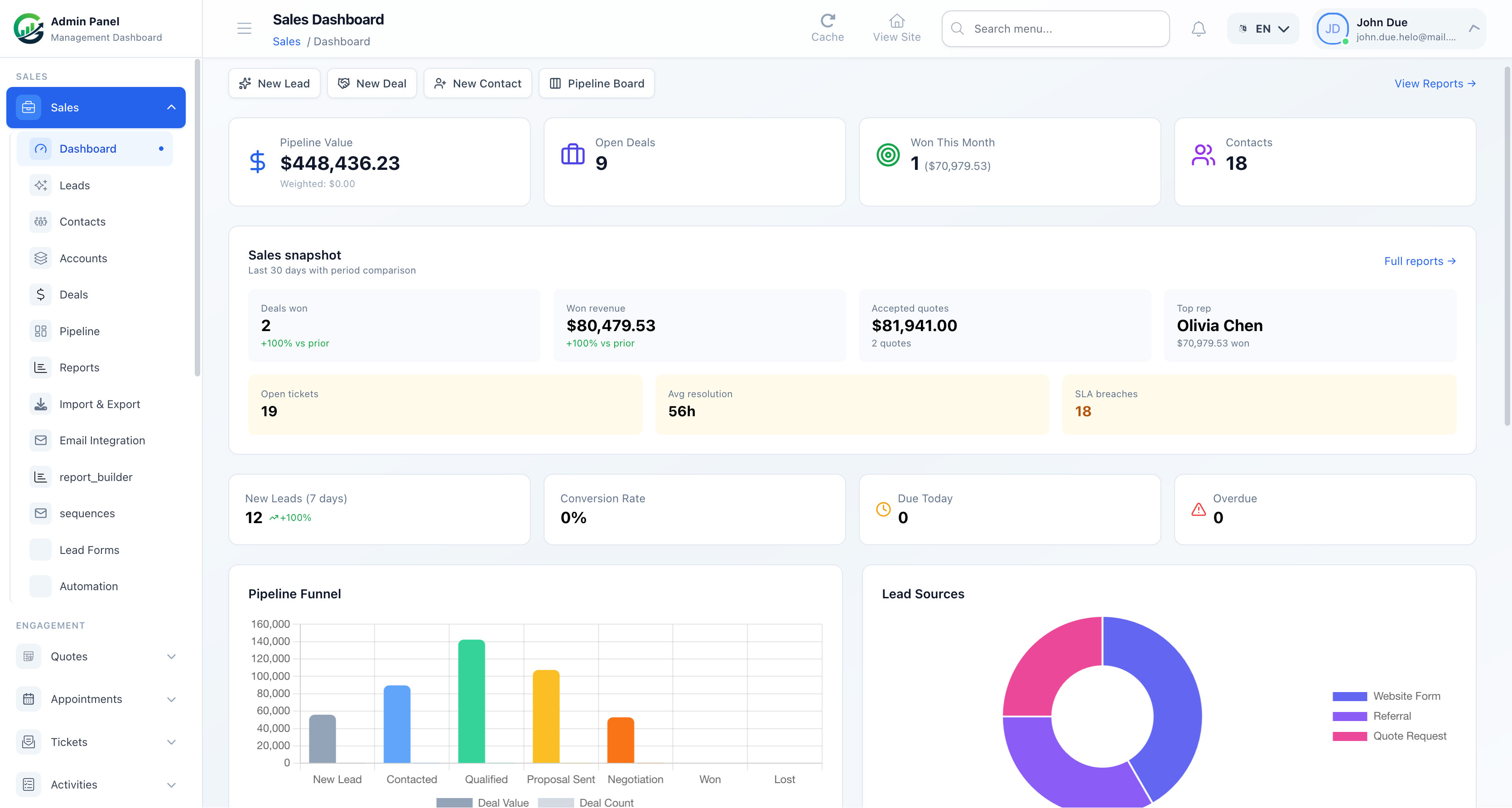
Automating your email outreach is only half the battle; your sales team still needs a clear, visual way to manage their daily pipeline. This is where GrowStack shines.
Built on the robust and highly customizable Laravel framework, GrowStack is a complete self-hosted CRM designed specifically for sales managers and SMB owners who need enterprise-grade pipeline management without the enterprise price tag.
┌─────────────────────────────────────────────────────────────────────────┐
│                            GROWSTACK CRM                                │
├───────────────────┬───────────────────┬───────────────────┬─────────────┤
│     NEW LEAD      │     CONTACTED     │   PROPOSAL SENT   │ CLOSED/WON  │
├───────────────────┼───────────────────┼───────────────────┼─────────────┤
│ [Acme Corp] $5k   │ [Beta LLC] $12k   │ [Delta Co] $8k    │ [Zeta] $15k │
│ ✉ Sequence Act.   │ ✉ Sequence Act.   │ 📄 Contract Sent  │             │
└───────────────────┴───────────────────┴───────────────────┴─────────────┘
With GrowStack, you can:
* Manage Visual Kanban Pipelines: Drag and drop deals through custom stages. When a deal moves, GrowStack can automatically trigger or pause email sequences based on the deal's new status.
* Execute Built-In Email Sequences: Create multi-stage drip campaigns directly within the CRM. Track open rates, click-through rates, and replies seamlessly.
* Handle Contracts and E-Signatures: Stop paying for separate document signing tools. GrowStack includes built-in contract management and secure e-signatures, allowing you to close deals faster right inside your CRM.
* Maintain Complete Data Ownership: Because GrowStack is self-hosted, your proprietary lead data, sales scripts, and financial contracts remain securely on your own servers.
If your business requires highly specialized workflows, SoftEntra also offers professional SaaS Development services to customize GrowStack, integrate it with your existing internal tools, or scale it into a multi-tenant platform for your entire partner network.
Stop letting SaaS subscription fees eat into your sales margins. Take control of your pipeline, empower your sales team with automated follow-ups, and keep 100% of your data.
Automate your sales pipelines and email sequences with GrowStack CRM today.
FAQs
Can I really send unlimited emails with a self-hosted CRM?
Yes. Unlike SaaS platforms that charge you based on the number of contacts or emails sent, a self-hosted CRM like GrowStack connects directly to transactional email providers (such as Amazon SES, Mailgun, or Postmark). This allows you to send tens of thousands of emails for pennies, completely bypassing SaaS markup fees.
How difficult is it to install and maintain GrowStack?
GrowStack is built on the modern Laravel framework, making it highly compatible with standard VPS hosting environments (like DigitalOcean, AWS, or Linode). Installation takes under 30 minutes for a standard web administrator, and once configured, it runs reliably with minimal maintenance.
Is my lead data secure on a self-hosted CRM?
Absolutely. When you host your own CRM, you have 100% ownership and control over your database. This is particularly critical for businesses operating under strict data privacy regulations (like GDPR or HIPAA) who cannot risk storing sensitive customer data on third-party SaaS servers.
Automate your sales pipelines and email sequences with GrowStack CRM.