ERP vs CRM: Why Small Businesses Need a Unified Operations Engine
For a growing small business, managing operations often feels like spinning plates. In the early days, a spreadsheet or two is enough to track customers and invoices. But as sales scale, inventory fluctuates, and team members are hired, operational friction begins to mount.
At this crossroads, business owners typically face a classic software dilemma: Should we buy a CRM, an ERP, or both?
Understanding the difference between an ERP (Enterprise Resource Planning) and a CRM (Customer Relationship Management) is crucial. However, for small and medium-sized businesses (SMBs), choosing between them—or attempting to stitch separate platforms together—is often a costly mistake.
Let's break down the operational gap between these systems, look at the true cost of software fragmentation, and explore why a unified, self-hosted operations engine is the most profitable path forward for your business.
The Operational Gap Between Standalone CRM and ERP Systems
To understand why standalone systems fail growing businesses, we must first look at what they were originally designed to do.
+-----------------------------------------------------------------+
|                       THE OPERATIONAL SPLIT                     |
+-----------------------------------------------------------------+
|       CRM (Front-Office)         |        ERP (Back-Office)     |
|  - Lead & Deal Tracking          |  - Inventory Management      |
|  - Sales Pipelines               |  - Invoicing & Accounting    |
|  - Customer Communications       |  - Purchase Orders           |
|  - Marketing Automation          |  - Payroll & HR              |
+-----------------------------------------------------------------+
What is a CRM?
A CRM is your front-office engine. It focuses entirely on the customer lifecycle, lead acquisition, and sales pipelines. Its primary job is to help your sales team close deals, track communication history, and manage customer relationships.
- Typical Users: Sales representatives, marketing teams, customer support agents.
- Core Metrics: Lead conversion rates, pipeline value, customer lifetime value (LTV).
What is an ERP?
An ERP is your back-office engine. It manages the internal, tangible resources of your business. Once a sale is made, the ERP takes over to handle inventory tracking, purchase orders, invoicing, payroll, and financial accounting.
- Typical Users: Operations managers, finance leads, warehouse staff, HR personnel.
- Core Metrics: Inventory turnover, profit margins, operational cash flow, fulfillment times.
The Gap
When these two systems are separate, a structural wall divides your front-office and back-office teams. Your sales reps have no visibility into inventory levels or fulfillment status, while your finance team has no foresight into upcoming deals that will impact cash flow or inventory demands.
Why Siloed Data Inhibits Small Business Growth and Cash Flow
Running separate CRM and ERP platforms creates data silos. For an enterprise with a massive IT budget, these silos are bridged by expensive, custom-built middleware. For an SMB, they lead to operational chaos.
1. The "SaaS Tax" and Integration Fragility
To make a standalone CRM (like HubSpot or Salesforce) talk to a standalone accounting or inventory tool, businesses rely on third-party connectors like Zapier or Make.
These integrations are notoriously fragile. A simple field update in your CRM can break the sync, leading to missing invoices, duplicate customer profiles, or failed inventory updates. Worse, you pay a "SaaS Tax"—not just for the individual software subscriptions, but also for the integration tools required to keep them connected.
2. Broken Customer Experiences
Imagine a sales representative closing a deal for 50 units of a product. Because the CRM does not have real-time access to the ERP's inventory database, the rep promises immediate delivery. In reality, the warehouse is out of stock, and the purchase order hasn't even been sent to the supplier. The result? A frustrated customer, a stressed operations team, and a damaged brand reputation.
3. Delayed Invoicing and Cash Flow Bottlenecks
When sales and finance operate in separate systems, the handoff from "Deal Closed" to "Invoice Sent" is rarely seamless. Sales reps must manually notify finance to generate an invoice, or rely on automated syncs that frequently fail. Every day of delay between closing a deal and issuing an invoice directly hurts your business's cash flow.
Comparison Criteria: ERP vs. CRM for Small Business
When evaluating how to structure your business software, consider how standalone systems stack up against a unified operations engine:
| Evaluation Criteria | Standalone CRM | Standalone ERP | Unified Engine (e.g., Coravo) |
|---|---|---|---|
| Primary Focus | Sales pipeline & customer data | Back-office resources & finance | End-to-end business operations |
| Data Flow | Siloed (requires external API sync) | Siloed (requires external API sync) | Native, single-database architecture |
| Cost Structure | Monthly per-user subscription | High enterprise licensing & setup | One-time self-hosted license |
| Customization | Limited to vendor marketplace | Highly complex, requires specialists | Fully customizable (open codebase) |
| Implementation | Fast (days) | Slow & disruptive (months) | Fast to Moderate (weeks) |
The Unified Approach: How Coravo Combines CRM, Invoicing, and Inventory
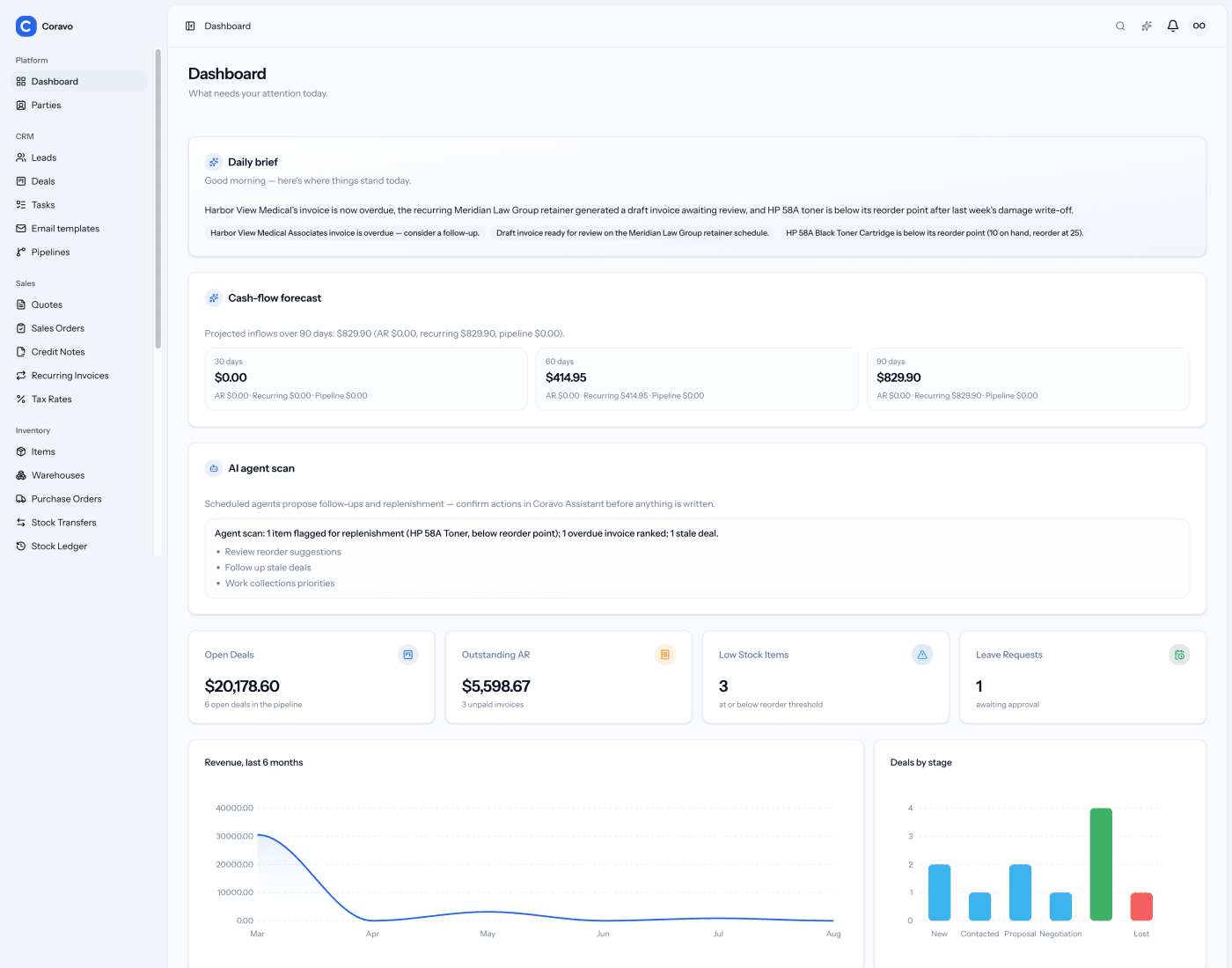
Instead of forcing two distinct software categories to talk to each other, a unified operations engine merges them into a single database. This is the philosophy behind Coravo, a self-hosted CRM and ERP web application built on Laravel and Vue.
+-----------------------------------------------------------------+
|                    THE UNIFIED CORAVO WORKFLOW                  |
+-----------------------------------------------------------------+
|  [Lead Captured] -> [Deal Won] -> [Invoice Generated] -> [Stock Deducted]  |
|  |________________________ Single Database ______________________|  |
+-----------------------------------------------------------------+
By combining front-office and back-office capabilities, Coravo eliminates the friction points that slow down growing businesses:
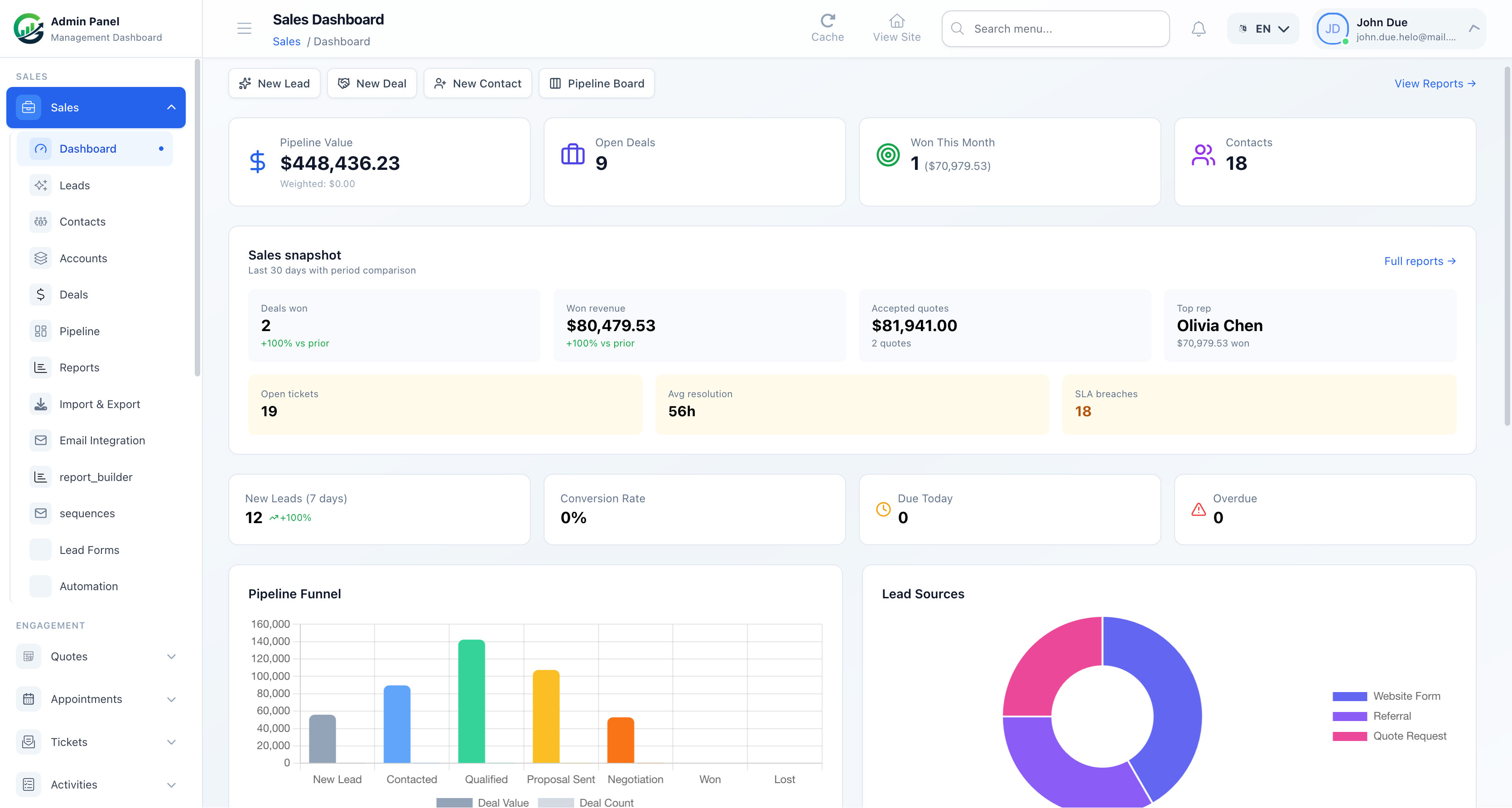
- Seamless Deal-to-Invoice Pipeline: The moment a deal is marked as won in Coravo's CRM module, an invoice can be generated automatically using the exact line items from the deal. No manual data entry, no missing details.
- Real-Time Inventory Visibility: Sales reps can view live stock levels directly within the application before quoting prices or delivery times. If stock is low, purchase orders can be drafted and sent to suppliers from the same dashboard.
- Unified Financial Reporting: Instead of exporting CSV files from your CRM and importing them into accounting software to calculate ROI, Coravo provides a single source of truth for your cash flow, expenses, and profitability.
- Self-Hosted Independence: Built with a modern Laravel and Vue stack, Coravo is hosted on your own infrastructure. This means you own your data, control your security, and pay zero monthly per-user subscription fees.
Cost-Benefit Analysis: One Self-Hosted Engine vs. Five SaaS Subscriptions
Let's look at the actual numbers. Many SMB owners do not realize how quickly SaaS subscriptions compound as their team grows.
Consider a modest team of 5 users running a typical fragmented SaaS stack:
- CRM (e.g., HubSpot Professional): $400 / month
- Accounting & Invoicing (e.g., QuickBooks Online): $50 / month
- Inventory Management (e.g., Katana): $150 / month
- Integration Middleware (e.g., Zapier): $49 / month
- Payroll/HR Tool: $60 / month
Total Monthly SaaS Cost: $709 / month ($8,508 / year)
Now, let's compare this to a self-hosted, unified engine like Coravo:
- Coravo Software License: One-time purchase (no recurring monthly fees)
- Cloud Hosting (e.g., DigitalOcean or AWS VPS): $15 - $30 / month
- Transactional Email Service (e.g., Mailgun): $15 / month
Total Ongoing Cost: ~$45 / month (~$540 / year)
By switching to a self-hosted, unified engine, a small business can save over $8,000 annually while eliminating the integration headaches, data sync delays, and security risks associated with third-party cloud platforms.
SoftEntra Recommendation: How to Choose Your Path
If your business is highly specialized and requires complex, enterprise-grade features—such as multi-national multi-currency tax compliance, heavy manufacturing resource planning (MRP), or deep enterprise marketing automation—you may eventually need to invest in dedicated enterprise ERPs like NetSuite or SAP.
However, for 90% of growing small businesses, service providers, agencies, and e-commerce brands, an all-in-one operations engine is the superior choice. It keeps your team aligned, protects your cash flow, and scales without punishing you with per-user monthly fees.
At Softentra, we specialize in helping businesses deploy, customize, and optimize self-hosted web applications. If you are ready to reclaim ownership of your data and consolidate your business operations into a single, high-performance engine, we recommend starting with Coravo.
If you need assistance evaluating your current software stack, planning a data migration, or configuring your self-hosted infrastructure, our Technical Advisory team is here to guide you through every step of the process.
Next Steps
- Consolidate Your Stack: Explore Coravo AI CRM & ERP to see how a unified, self-hosted platform can streamline your sales, inventory, and invoicing.
- Get Expert Guidance: Contact our Technical Advisory team for a professional stack evaluation and deployment plan tailored to your business.
FAQs
Can a small business use an ERP without a CRM?
Yes, but it creates a major operational gap. An ERP handles back-office tasks like inventory, purchase orders, and accounting, but lacks the lead tracking, pipeline management, and customer communication history of a CRM. Using one without the other forces your sales team to work in silos.
Why is self-hosting an ERP/CRM better than SaaS?
Self-hosting gives you 100% data ownership, eliminates recurring monthly per-user fees, and allows unlimited customization. With a self-hosted application like Coravo, you run the software on your own server (like a $10/month VPS), meaning your costs remain flat even as your team and database grow.
How difficult is it to migrate from separate SaaS tools to a unified system?
Migration involves exporting your customer data (CSV format) from your CRM and your product/financial data from your accounting tool, then importing them into the unified system. While it requires some initial planning, consolidating your tools eliminates ongoing API integration maintenance and sync errors.
Explore Coravo: The self-hosted, all-in-one ERP and CRM built to streamline operations.